How to Follow Up After a Conference: The 5-Step Workflow

You come home from a conference with a pocket of business cards and a head full of conversations — and the pipeline you could feel on the show floor now depends entirely on what happens next. Most of it evaporates. Learning how to follow up after a conference isn't about writing better emails three days later; it's about running a workflow that starts before you leave.
Here's the 5-step workflow — set objectives, capture conversations, generate a debrief, follow up same day, and collaborate as a team — and how ActionNotes runs it with you.
Why Conference Follow-Up Fails

We've written before that the hardest part of conferences isn't networking — it's follow-up, and the pattern is always the same:
- Notes end up scattered across a notebook, a handful of apps, and your memory
- Business cards stay in a jacket pocket until the person behind them has forgotten your name
- Follow-up emails go out late and generic, so they read like they were sent to everyone — because they were
The failure isn't discipline. It's structure. Follow-up breaks when it depends on remembering, and it works when the remembering is done for you. That's what each step below fixes.
Step 1: Set Objectives Before You Walk In

Follow-up quality is decided before the event starts. Know what a good conversation looks like for this specific event:
- Who you need to meet — roles, companies, the kind of person who becomes pipeline
- What you're asking for — a demo, an intro, a partnership conversation
- What “worth following up” means, so you can prioritize on the spot instead of treating every card the same
Objectives give you a filter during the event and a priority order after it. When every conversation is captured, the ones that matter need to rise to the top — that starts here.
Step 2: Capture Conversations as They Happen
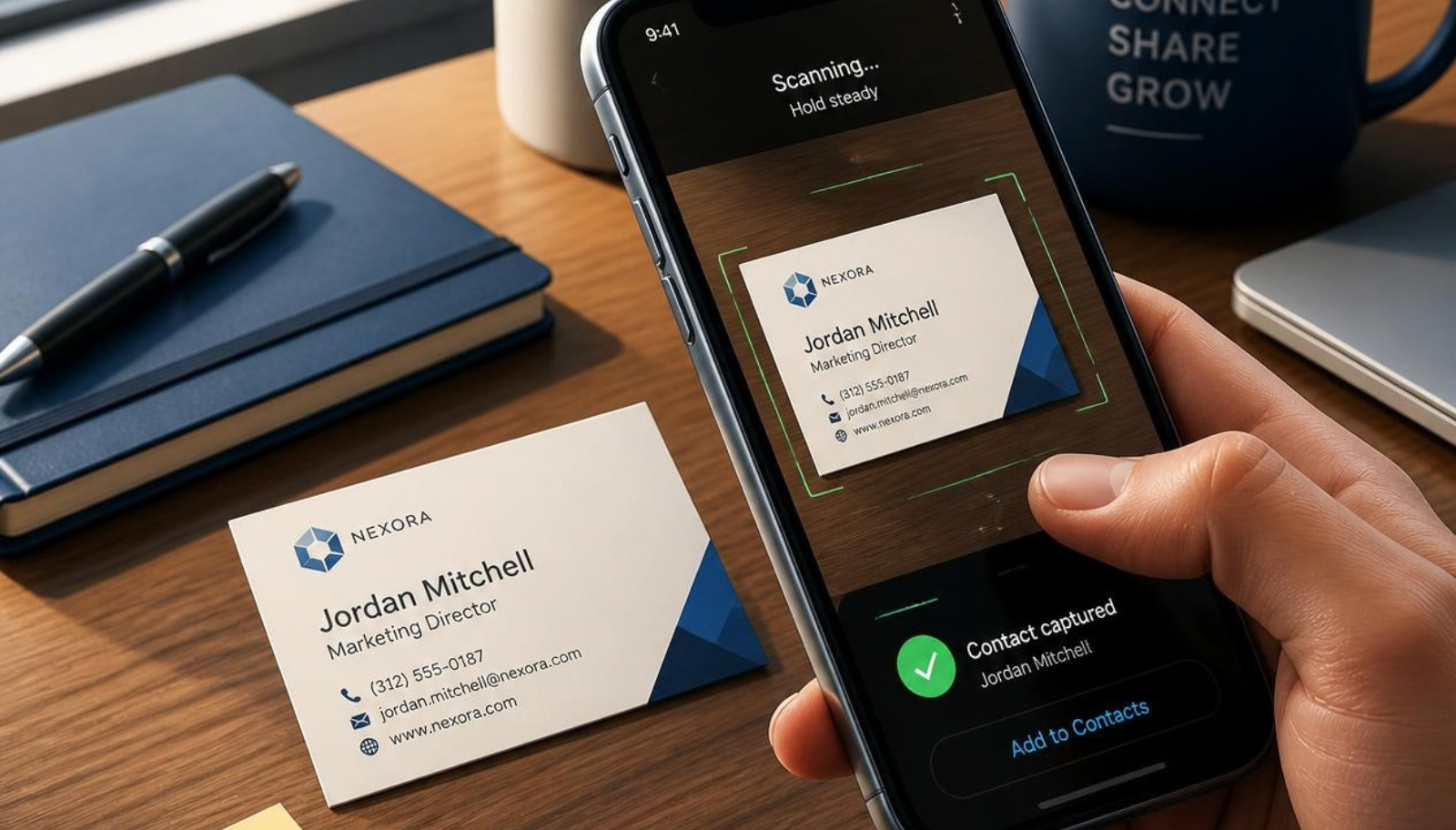
The moment a conversation ends, its details start decaying. Capture beats recall, every time:
- Send text or voice notes — transcribed automatically — the second you step away
- Photograph slides, whiteboards, and meeting materials
- Scan business cards: OCR pulls the name, email, phone, company, and title, and the LinkedIn profile comes with it, so the contact is complete without typing
Because you can capture by messaging your ActionNotes number on WhatsApp — or in the web app — there's nothing to install and nothing to fumble with mid-conversation. Every note lands attached to the meeting it belongs to, with full context, not in a pile to sort later. Each capture feeds AI meeting notes you never had to type: contact details, conversation summaries, action items, and commitments, organized automatically.
Step 3: Generate a Debrief Before You Leave

This is the step most teams skip, and it's the one that turns raw notes into a plan. At the end of each day, generate a debrief with one click:
- An executive summary of the day's conversations
- Prioritized action items — who to contact, in what order
- Contact highlights with relationship scores, key topics, and sentiment
The debrief replaces the hotel-room scramble. Instead of reconstructing the day from fragments, you end it with a ranked action list already written — and a conference report you can hand to anyone who asks how the event went.
Step 4: Follow Up the Same Day

A same-day follow-up that references the actual conversation beats a perfect email three days later — by then you're one follow-up among many in a crowded inbox, and the context you shared has gone cold.
- AI drafts a personalized follow-up email for each contact, referencing what you discussed
- You review, adjust, and send — from the venue, the airport, or the train home
- Every commitment you made — “I'll send the one-pager,” “let's find time next week” — lands on the action list, so nothing silently drops
The follow-up still sounds like you. It doesn't wait for you.
Step 5: Run Your Pipeline as One Team

One person's conference is a list. A team's conference is a pipeline — unless everyone works from their own silo. Close the loop together:
- Shared conference sessions pool everyone's conversations into one view
- A de-duplicated contact directory means the lead three colleagues met is one contact, with the full history
- An aggregated activity feed and team analytics show contact coverage and follow-up rates, so you can see who still owes whom a reply
When the pipeline needs to live in your CRM, team plans include webhook integrations with Zapier, HubSpot, and Zoho CRM — pushing new contacts, notes, and action items as they're created — alongside native Salesforce and StubHub integrations that sync contacts, meeting summaries, and follow-up tasks.
The Workflow in Action: One Day at a Trade Show

Morning: you glance at your objectives — three target accounts, one partnership conversation. Between booth visits, you send voice notes from the aisle. Over lunch, you scan the cards from the morning's meetings.
By the afternoon coffee break, contacts are already organized with summaries and relationship scores — no typing so far. At the end of the day, you generate the debrief: prioritized action items, top contacts flagged, one commitment you'd already forgotten.
On the train home, you review the AI-drafted follow-ups — each one referencing its conversation — personalize two lines each, and send. Before you're home, every important contact from the day has heard from you. Tomorrow, your team sees all of it in the shared session.
That's the difference between attending a conference and working one.
Frequently Asked Questions
What should I do with business cards after a conference?
Scan them the day you collect them. Business card scanning with OCR turns each card into a structured contact — name, email, phone, company, title, LinkedIn — saved with the conversation context. That's the first stage of turning a handshake into a CRM record; a card that sits in a jacket for a week is a contact you've already lost.
How do you write a follow-up email after meeting someone at a conference?
Reference the specific conversation — what you discussed, what you agreed, the joke only the two of you were there for — and make one clear next step easy to say yes to. A conference follow-up tool makes this repeatable: AI-drafted follow-ups built from your actual meeting notes give you a personal first draft to edit, rather than a generic template to fight.
How do sales teams keep conference leads organized?
With shared sessions and a de-duplicated contact directory rather than individual lists. Every member's captures land in one pipeline with full context, follow-up rates are visible on the team dashboard, and contacts, notes, and action items sync to your CRM — HubSpot, Zoho, or Salesforce — through team-plan integrations.
Conclusion: Work the Conference After It Ends
Conferences reward the teams whose follow-up is a system, not a scramble. Set objectives before you walk in, capture every conversation as it happens, debrief before you leave, follow up the same day, and run the results as one team — and the same event produces a different pipeline.
Get Started Free — ActionNotes is free to start, no credit card required. Bring it to your next conference and see what your follow-up looks like when nothing depends on memory.
Work Your Next Conference, Don't Just Attend It
Start free with ActionNotes and run the 5-step follow-up workflow at your next event — no credit card required.
Get Started Free